Kursmerkmale
- workspace_premium Teilnahmebescheinigung von TÜV Rheinland
- calendar_month Zugriffsdauer: 365 Tage
- trending_up Kursniveau: Einsteiger
- timelapse Lernumfang: 2 Std. 01 Min.
- language Sprache: englisch
- fingerprint Kurskennung: oKM2oG3n0N
Kursübersicht
Über den Online-Kurs
This course will teach you how to use AI features in Word, Excel, PowerPoint, Outlook and Teams efficiently to increase your productivity.
Benefit
In this e-learning course, you will learn how to use Copilot, the AI in Microsoft 365, effectively. We will show you various practical use cases that will help you get the most out of the tool and then apply it to your own files. A separate module is also dedicated to formulating meaningful prompts so that you can use Copilot even more specifically for your tasks.
No software is required for this course.
Target group
For anyone with a Microsoft 365 subscription and a Copilot licence who wants to use Microsoft's artificial intelligence in the most important Microsoft 365 apps (Word, Excel, PowerPoint, Outlook, Teams).For anyone with a Microsoft 365 subscription and a Copilot licence who wants to use Microsoft's artificial intelligence in the most important Microsoft 365 apps (Word, Excel, PowerPoint, Outlook, Teams).
Requirements
Basic knowledge of the relevant apps (Word, Excel, PowerPoint, Outlook, Teams) could be useful.
Learning content
Copilot for Microsoft 365 - Use Cases and Best Practices
This module offers you the opportunity to watch a video lasting 2 hours and 2 minutes.
Discover Copilot
- What is Copilot?
- Accessing Copilot
- Copilot and data security
- Copilot on the web
- Copilot in Bing
- Copilot in Microsoft Edge
- Copilot for Microsoft 365
- Copilot Pages
Copilot in Word
- Write texts
- Rewrite texts
- Summarise texts
- Additional functions
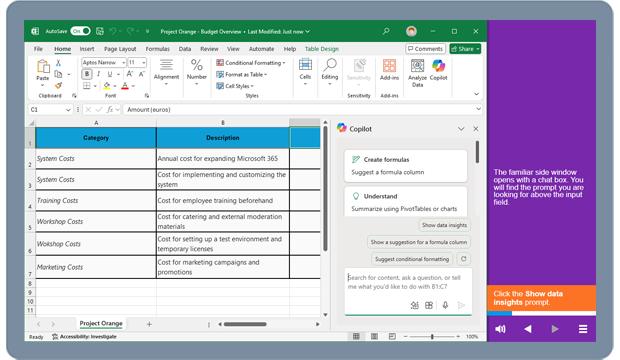
Copilot in Excel
- Getting started with Copilot for Excel
- Create formulas
- Evaluate data
- Display data
Copilot in PowerPoint
- Getting started with Copilot in PowerPoint
- Creating a presentation
- Adding to a presentation
- Organising a presentation
- Extracting information from a presentation
Copilot in Teams
- Getting started with Copilot in Teams
- Using Copilot in chats
- Using Copilot in Teams meetings
Copilot in Outlook
- Write an email
- Summarise an email or conversation
Copilot in other apps
- Copilot in Forms
- Copilot in WhiteBoard
- Copilot in OneNote
- Copilot in OneDrive
Writing meaningful prompts
- Best practices
- Tailor prompts to requirements
- Give prompts structure
Übersicht der Lerninhalte
Copilot Microsoft 365
-
Copilotextension Interaktiver Inhalttimelapse 2 Std. 01 Min.
Bewertungen
Gesamtbewertung
Rezensionen
von {{ rating.user.display_name }} am {{ rating.created_at | formatDate }}
Kommentare und Fragen zum Kurs
Du hast noch inhaltliche Fragen zum Kurs? Du möchtest Dir ein genaueres Bild vom Ablauf machen? Egal ob Du Deine eigenen Erfahrungen mit der Lerngemeinschaft teilen möchtest oder vorab Rückfragen zu einzelnen Inhalten hast: Beteilige Dich einfach an den Diskussionen mit anderen Lernenden zu diesem Kurs.